A native Linux workspace for coding agents

Run Claude Code and Codex from multiple accounts alongside Antigravity, Muse and Oh My Pi. Give each task its own Git worktree and review the changes beside the conversation.

Linux x86_64 on Wayland · MIT licensed · In beta

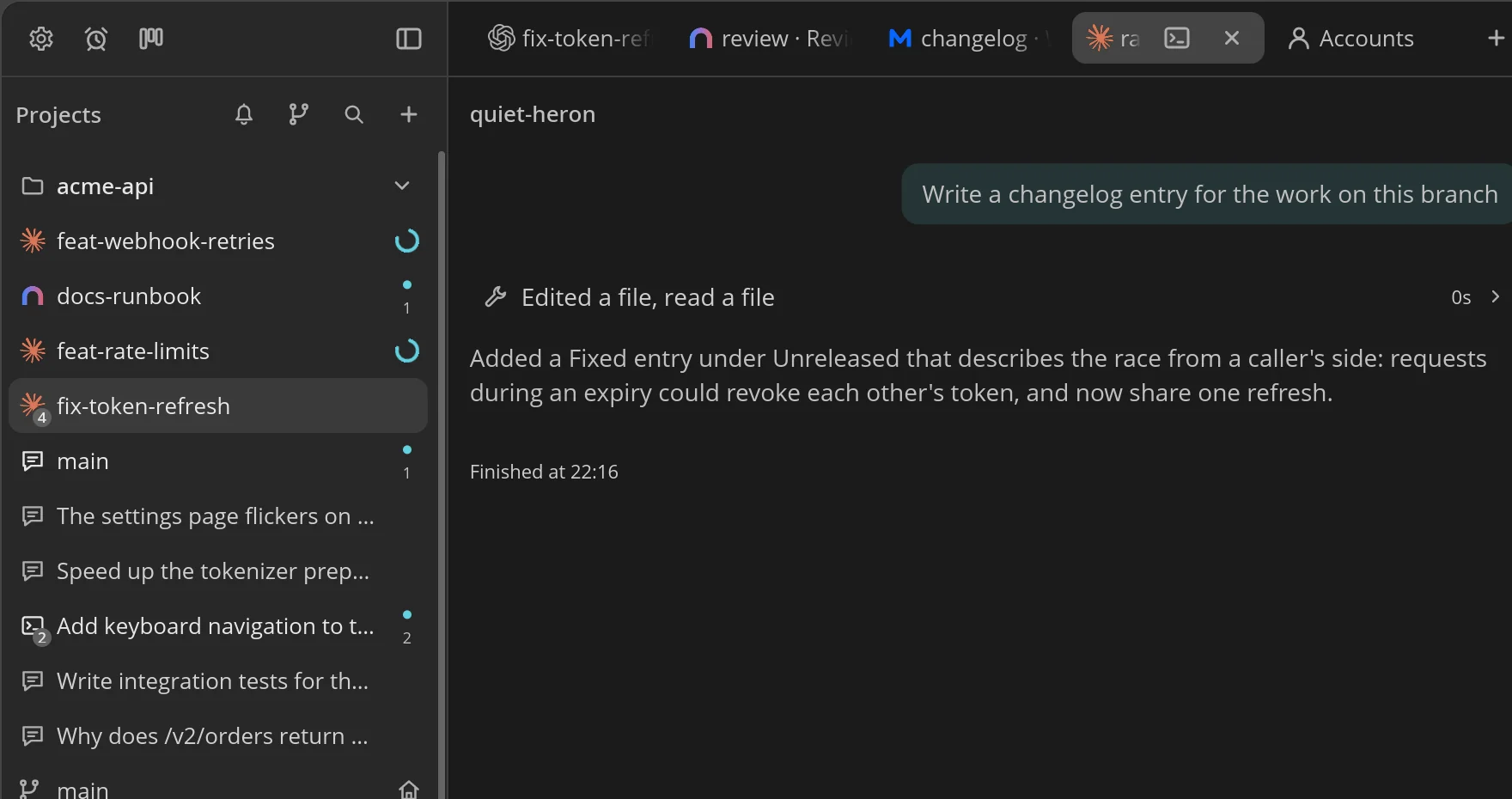
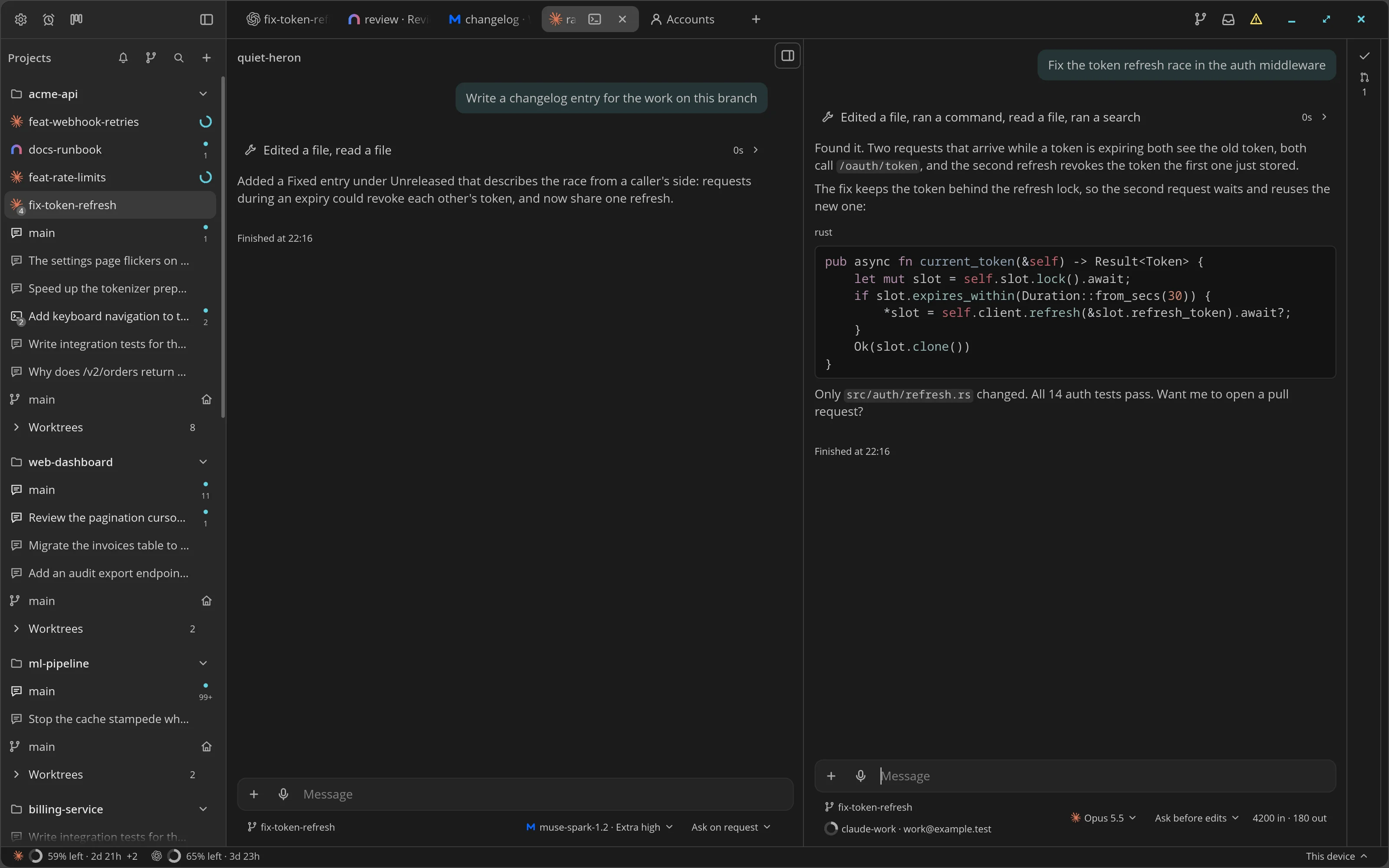
Expand screenshot. The cagents window. The sidebar lists the acme-api project's worktrees with each agent's provider and status. A Muse conversation that wrote a changelog entry sits beside a Claude Code conversation, running on a work account, that fixed a token refresh race.

Features

Use work and personal accounts side by side

See the remaining allowance for each Claude Code and Codex account and pick one when you start a conversation.

Choose Automatic to let cagents pick an account and switch to another signed-in plan when the current one runs out.
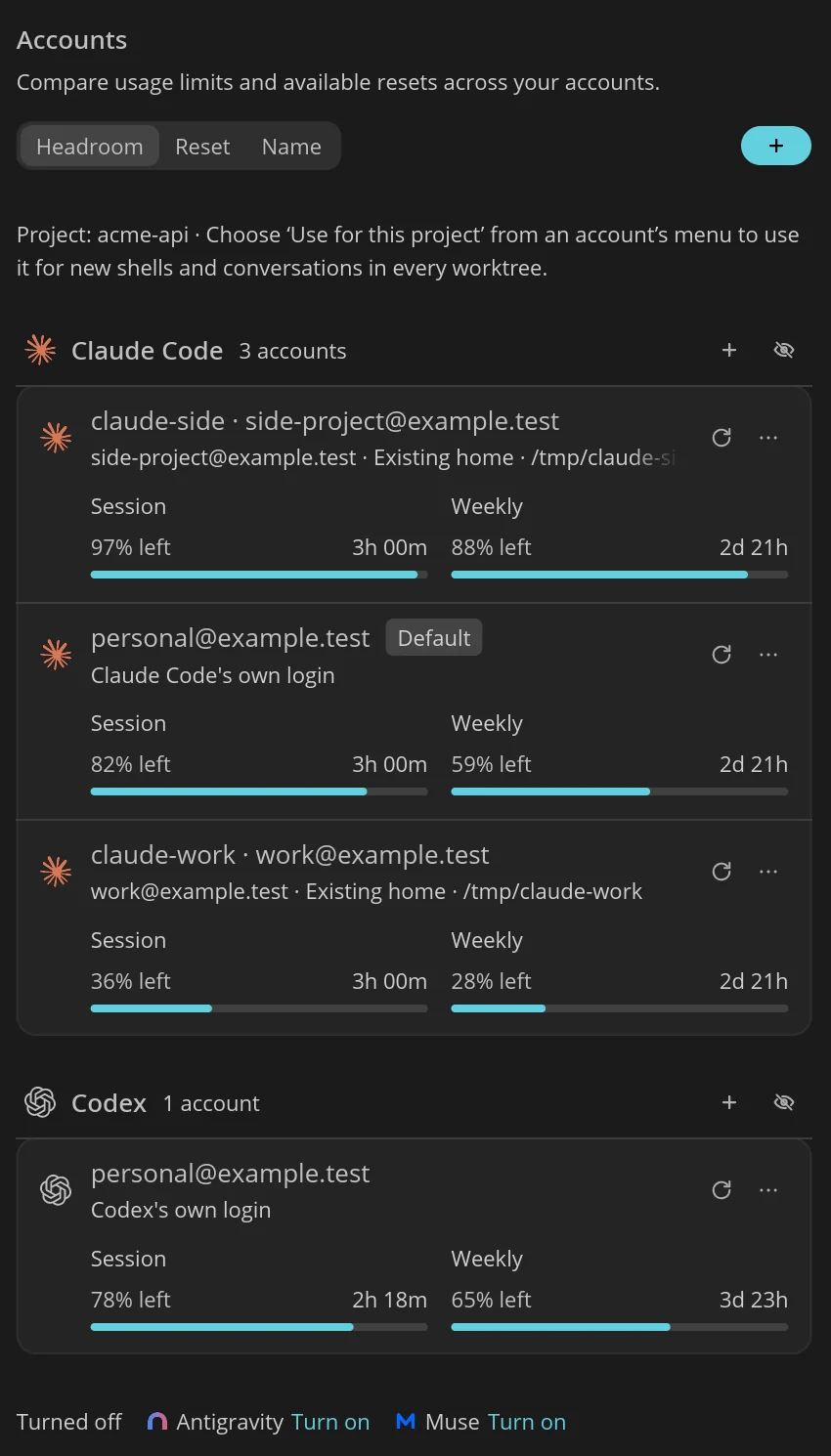
Expand screenshot. The Accounts pane: three Claude Code accounts (side project, personal and work) and a Codex account, each with its own session and weekly allowance left and its reset time.

Chat and terminal for the same session

Switch between a terminal and native chat in a Claude Code or Codex session. In chat, expand a command, edit or tool call to see its details.

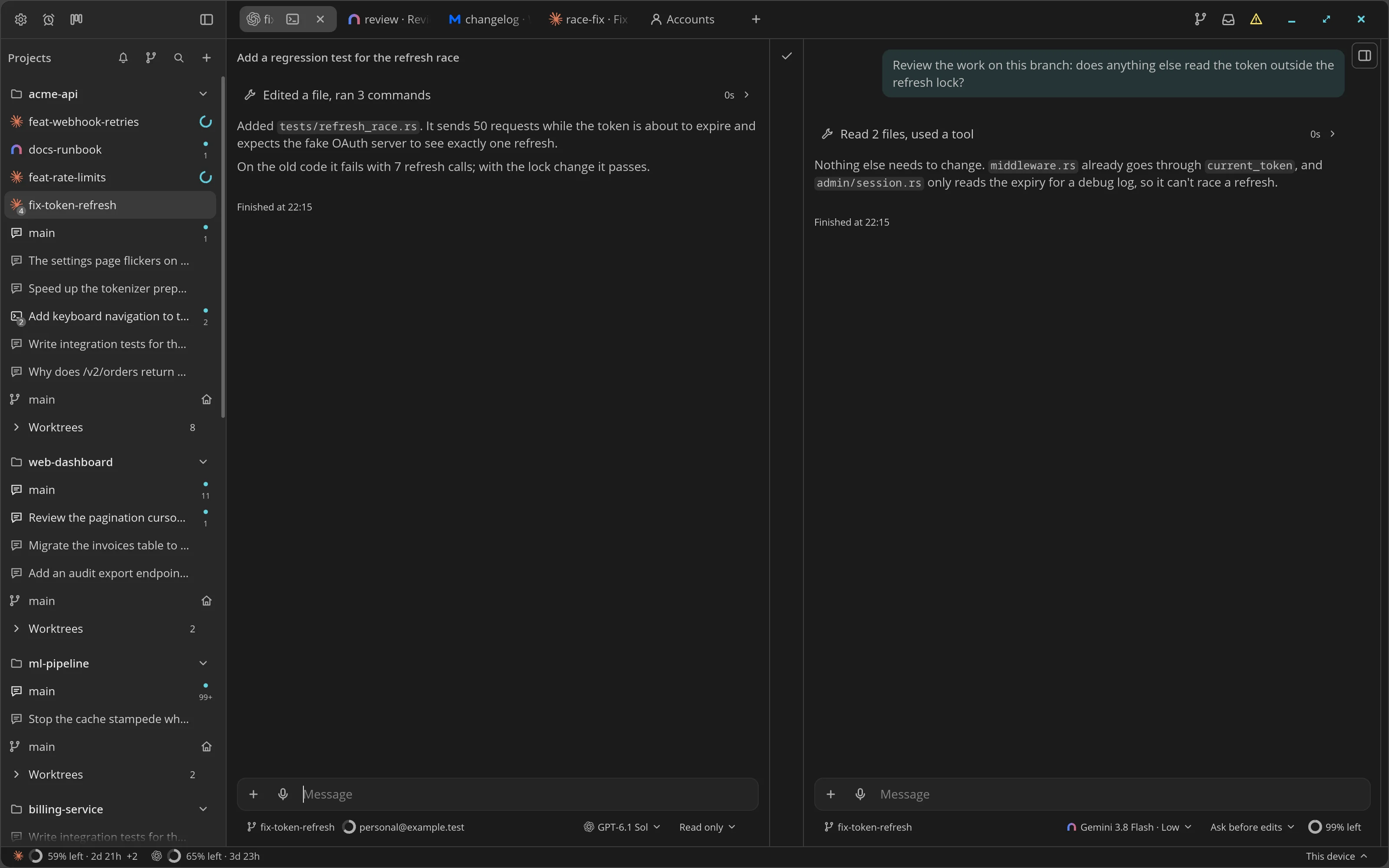
Expand screenshot. Codex, Antigravity, Muse and Claude Code conversations as tabs in one strip. A Codex chat that added a regression test sits beside an Antigravity chat reviewing the same branch.

From worktree to pull request

  • Expand screenshot. The sidebar for the acme-api project: worktrees named feat-webhook-retries, docs-runbook, feat-rate-limits and fix-token-refresh, each with its agent's provider and a working or unread marker.

    A worktree per task

    Start from a branch name or Linear issue. Check the sidebar for agents at work, waiting for input, or with unread output.

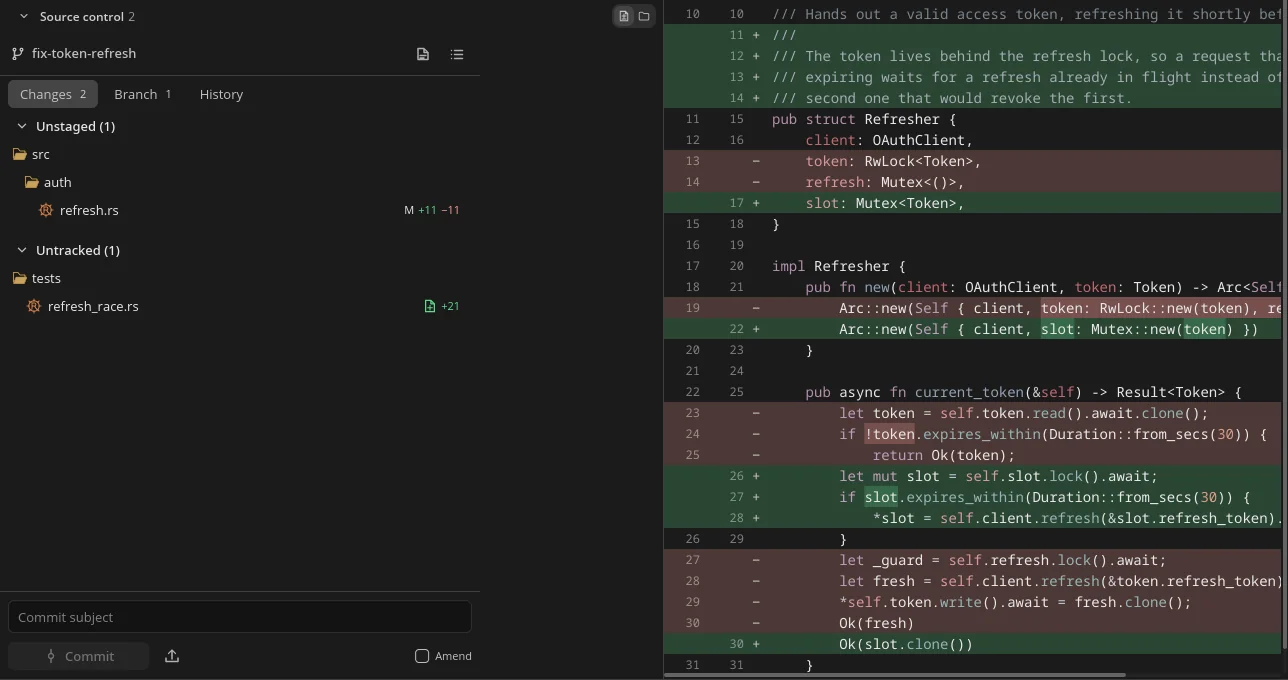
  • Expand screenshot. Source control for the fix-token-refresh worktree, listing one modified and one untracked file, next to a unified diff of src/auth/refresh.rs.

    Review changes beside the conversation

    Read diffs, stage files and commit. When you review a pull request, files you mark as viewed stay in sync with GitHub.

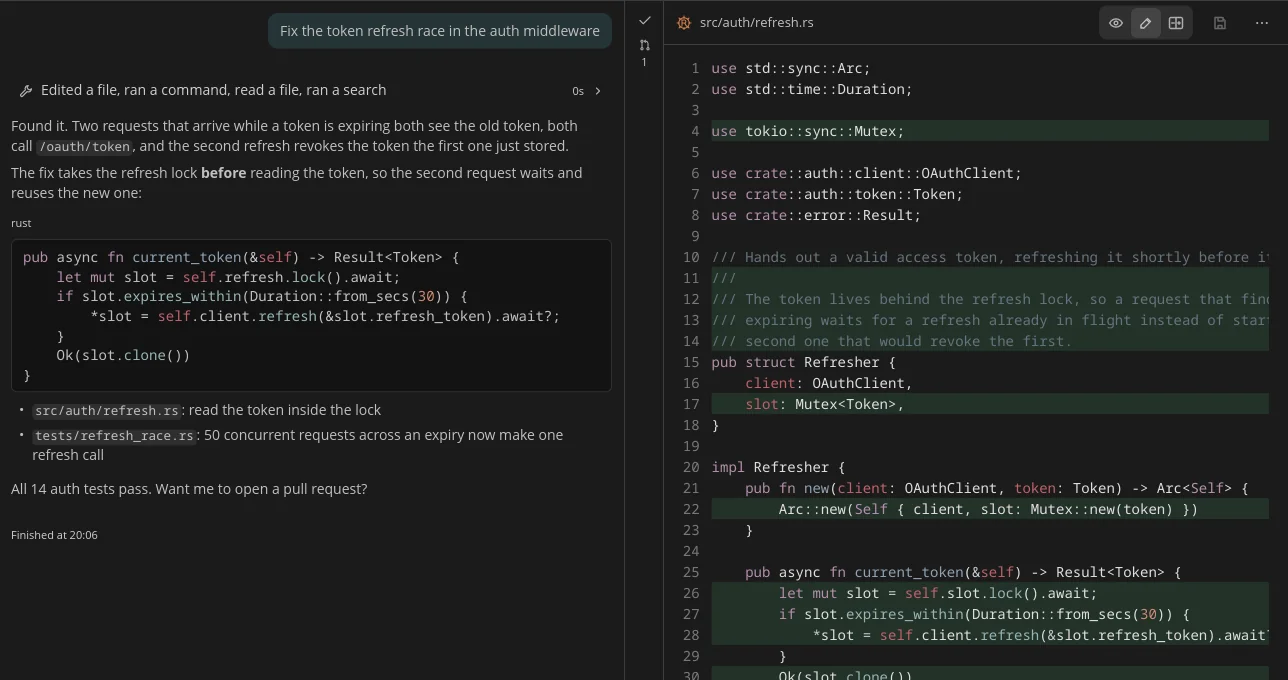
  • Expand screenshot. A Claude Code chat next to the Rust file it edited, open in the built-in editor with syntax highlighting.

    An editor beside the chat

    Open and edit the files your agent is working on. The editor has syntax highlighting, autosave and optional language servers.